
Trip Board Guide
1. Filter Search and Quote Request
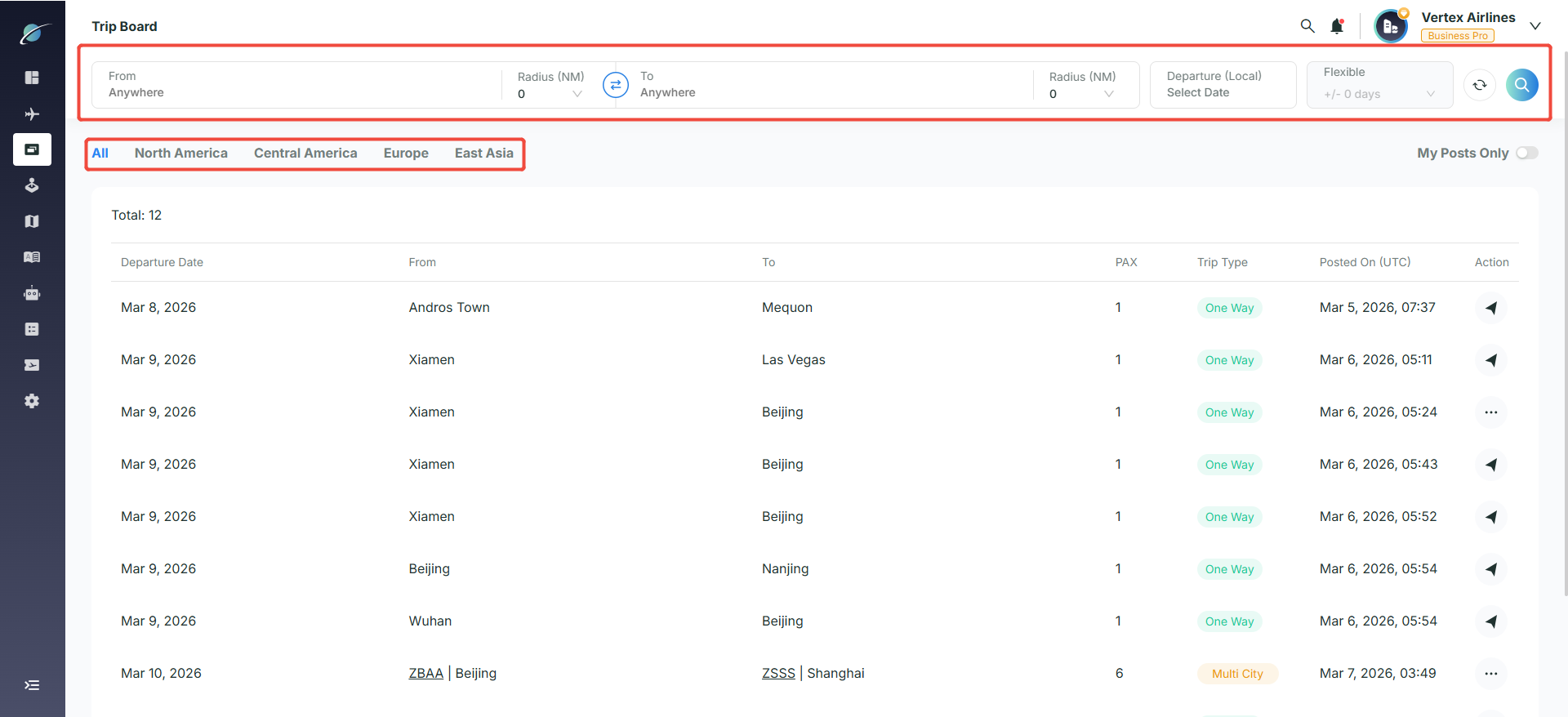
Criteria filtering: Enter the departure location, destination, and departure date at the top of the page. You can also set a radius for flexible matching. Use the tag bar to quickly filter trips across different regions with one click.
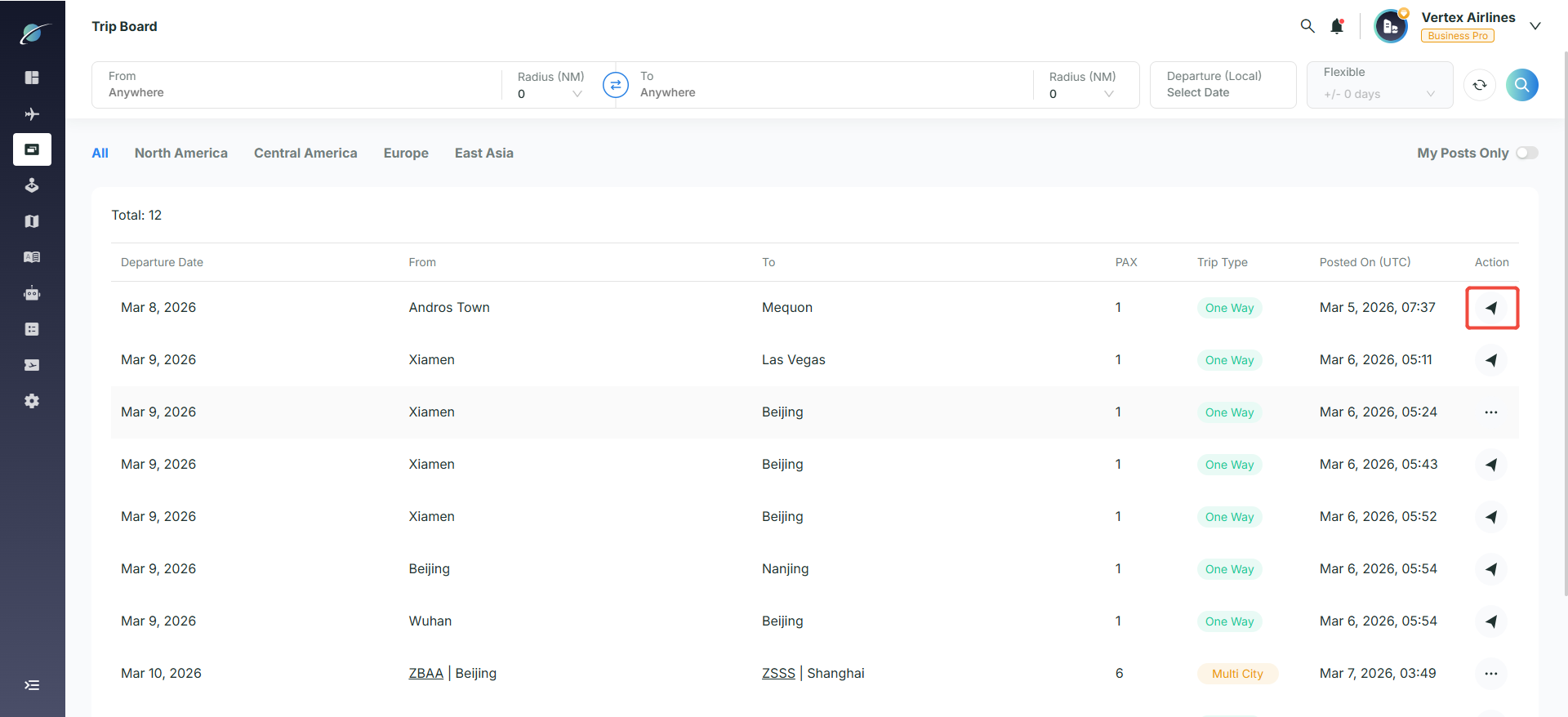
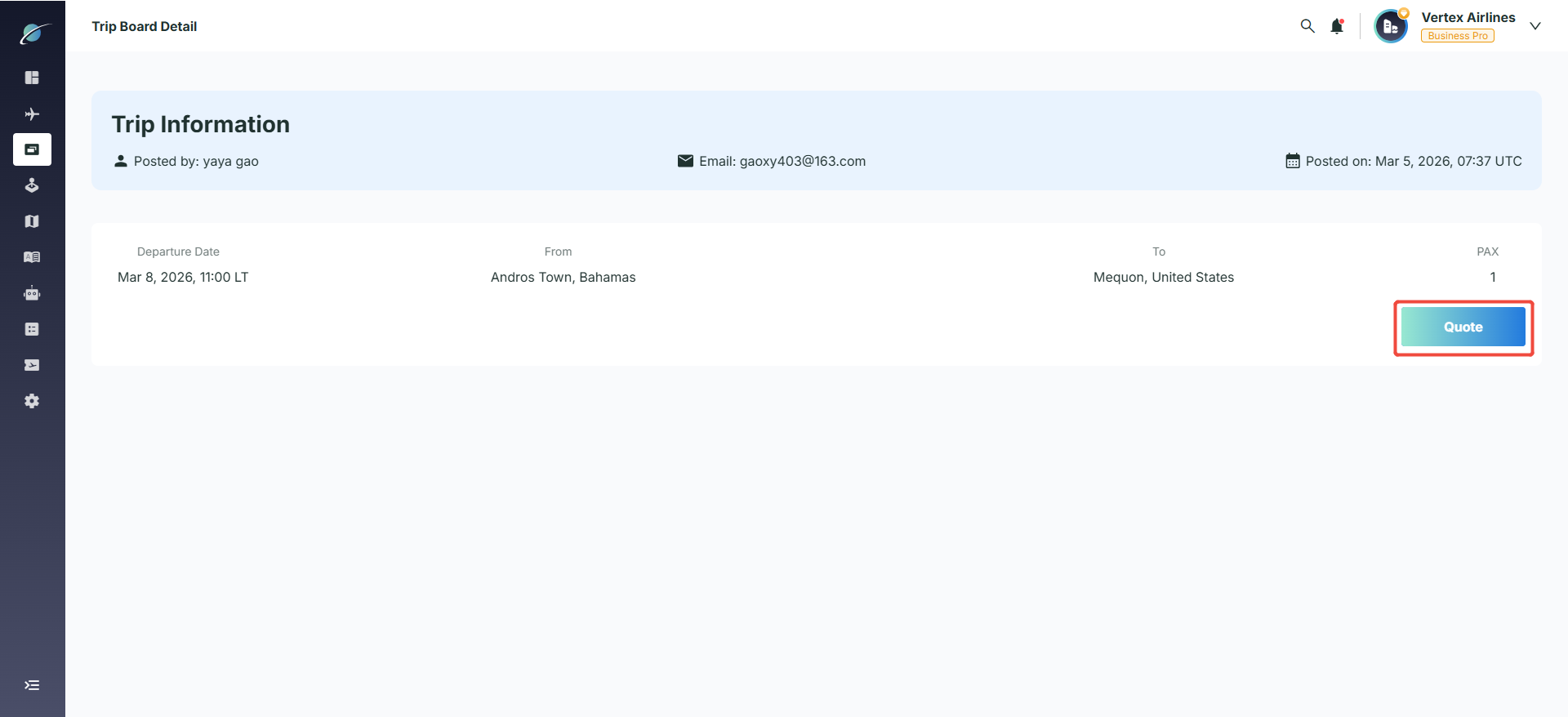
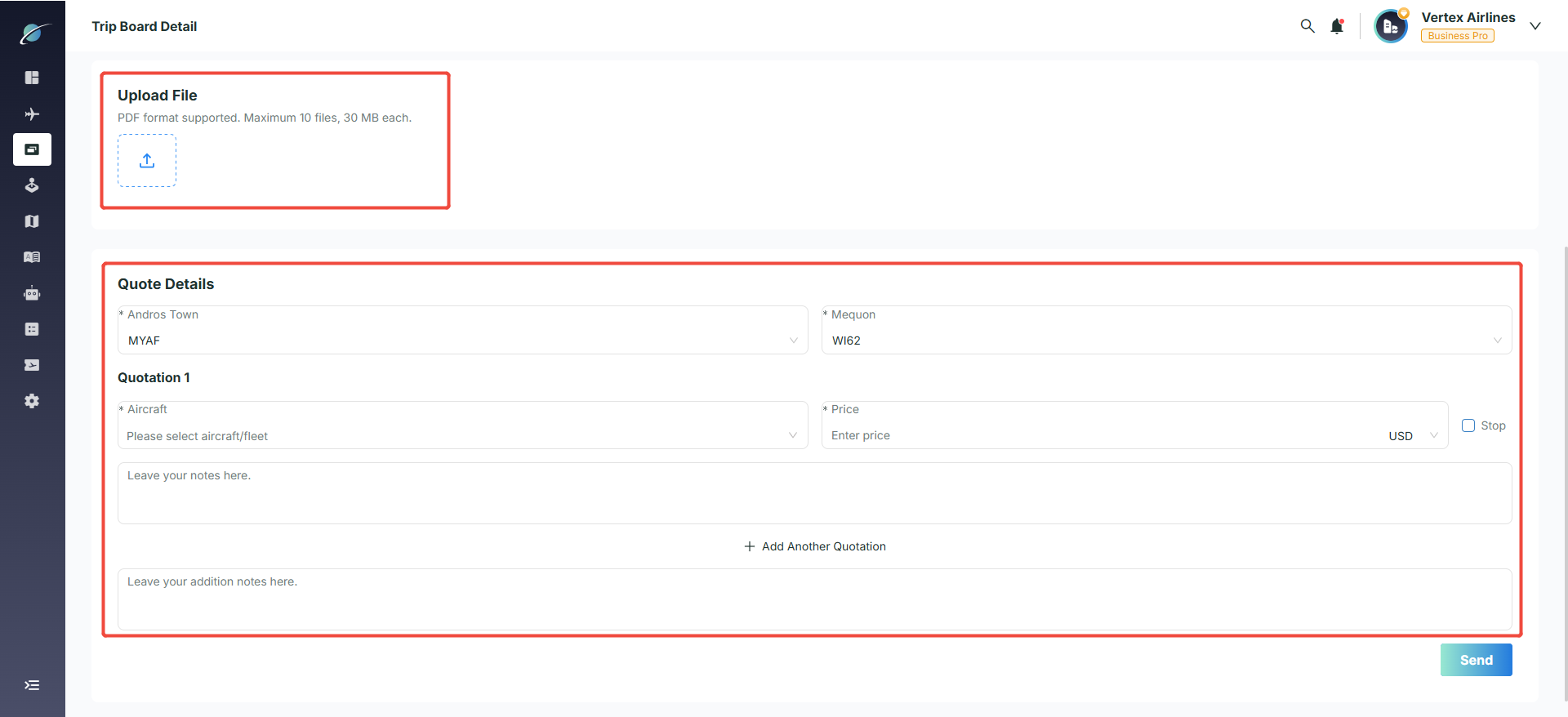
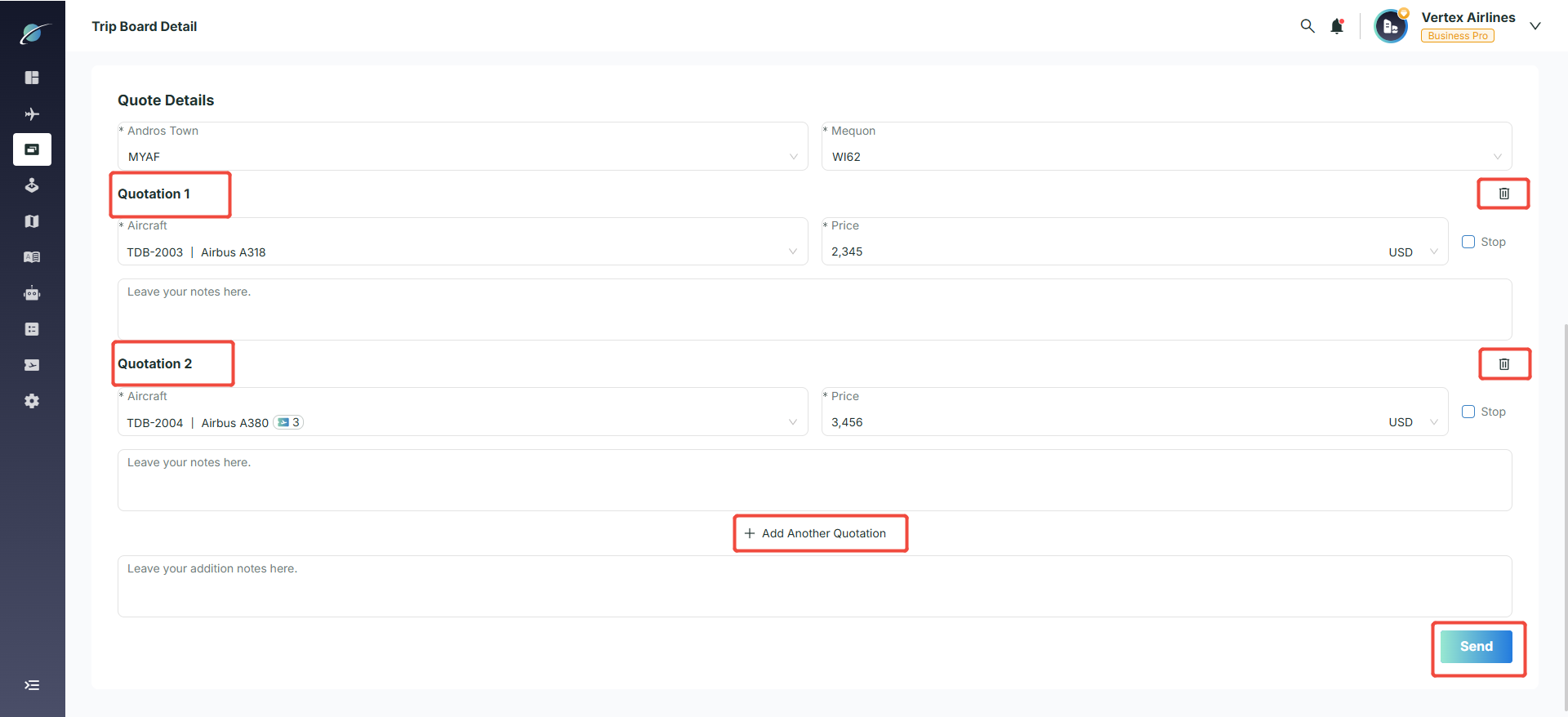
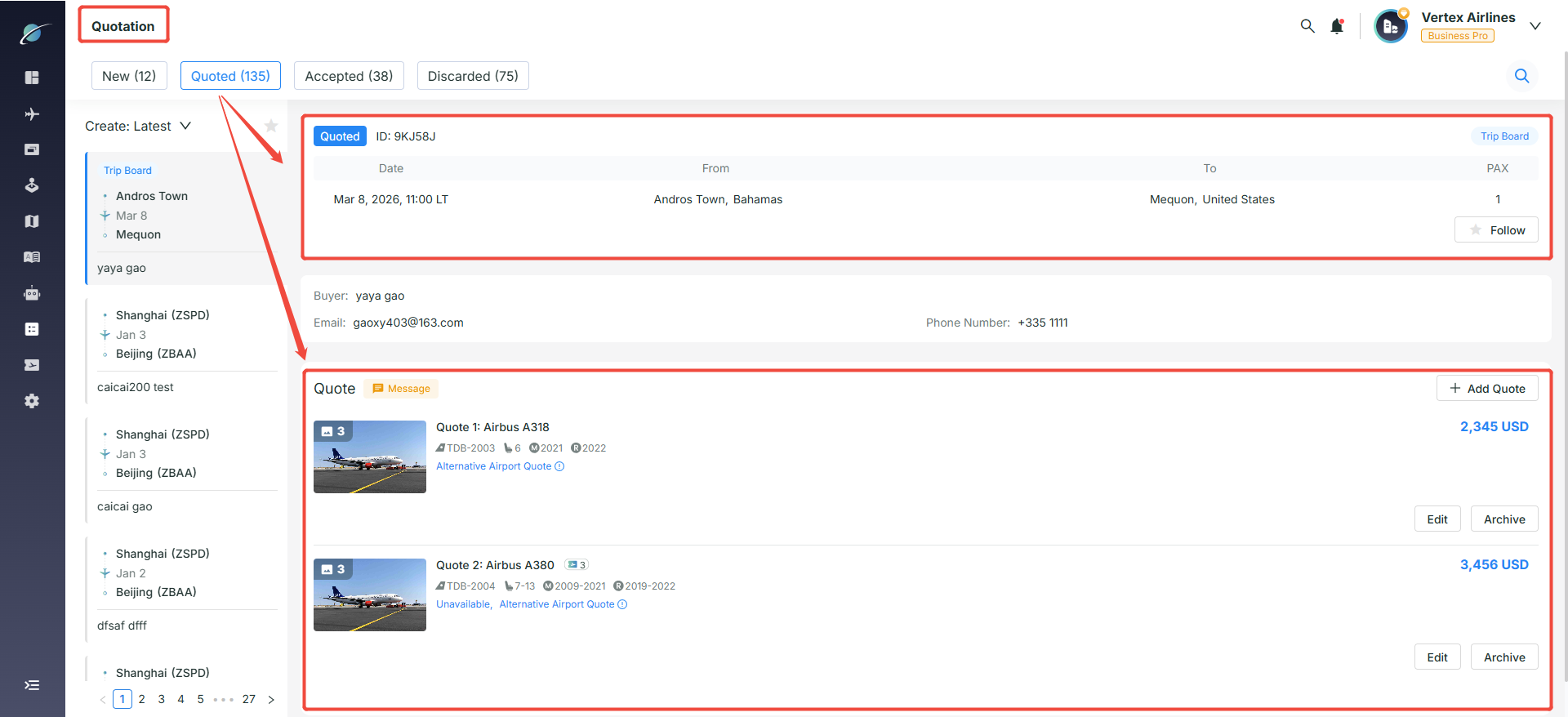
Submitting a quote: Click the arrow icon on the right side of a trip to open the details page, then click the “Quote” button to start filling in the quotation. PDF-format quotations can be uploaded. Click “Add Another Quotation” to provide multiple aircraft or pricing options for the same trip. For any option already added, click the trash icon on the right to remove it. After confirming everything is correct, click “Send” to submit all quotations at once. The system will then automatically redirect you to the quotation details page.
Note: Only company accounts that are Operators or Brokers representing an aircraft can submit quotations.
2. Personal Post Management
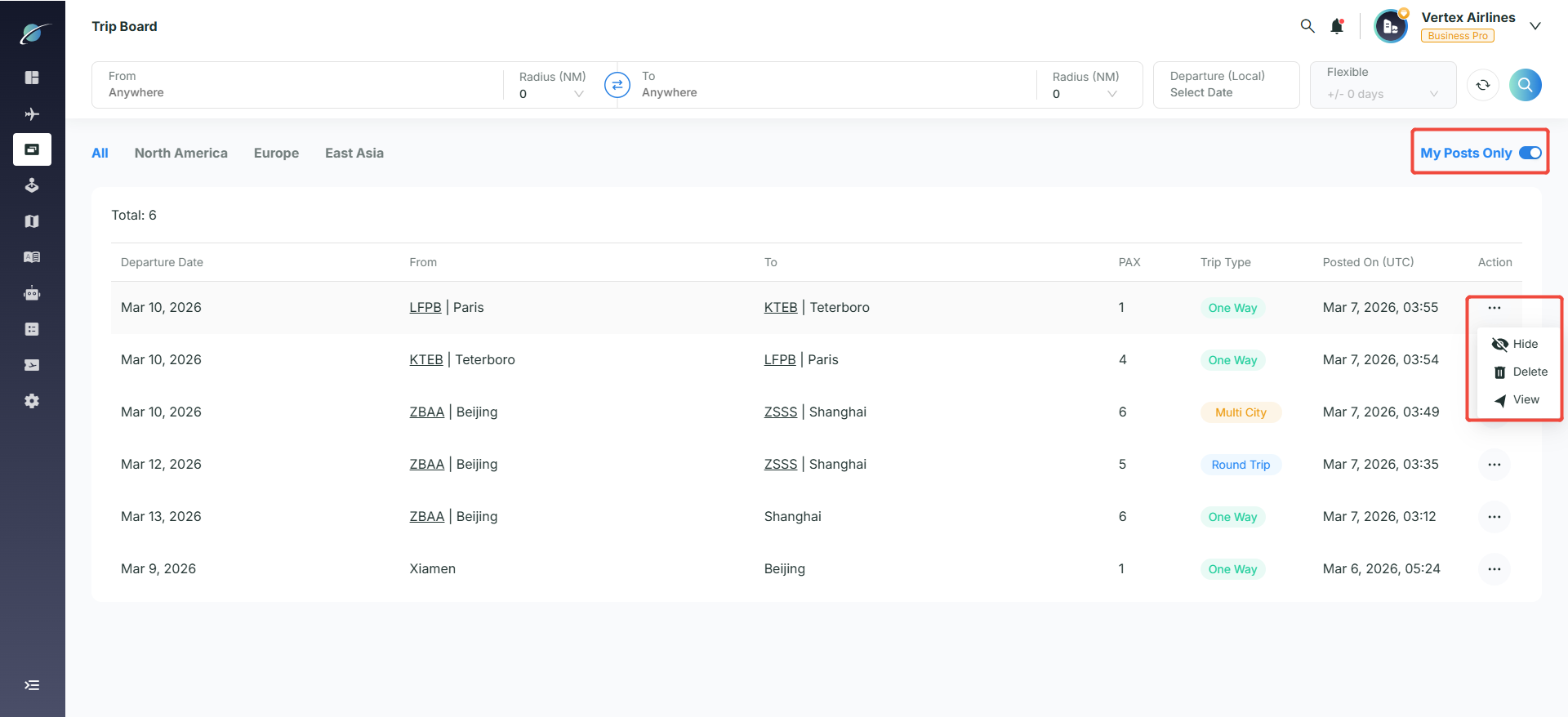
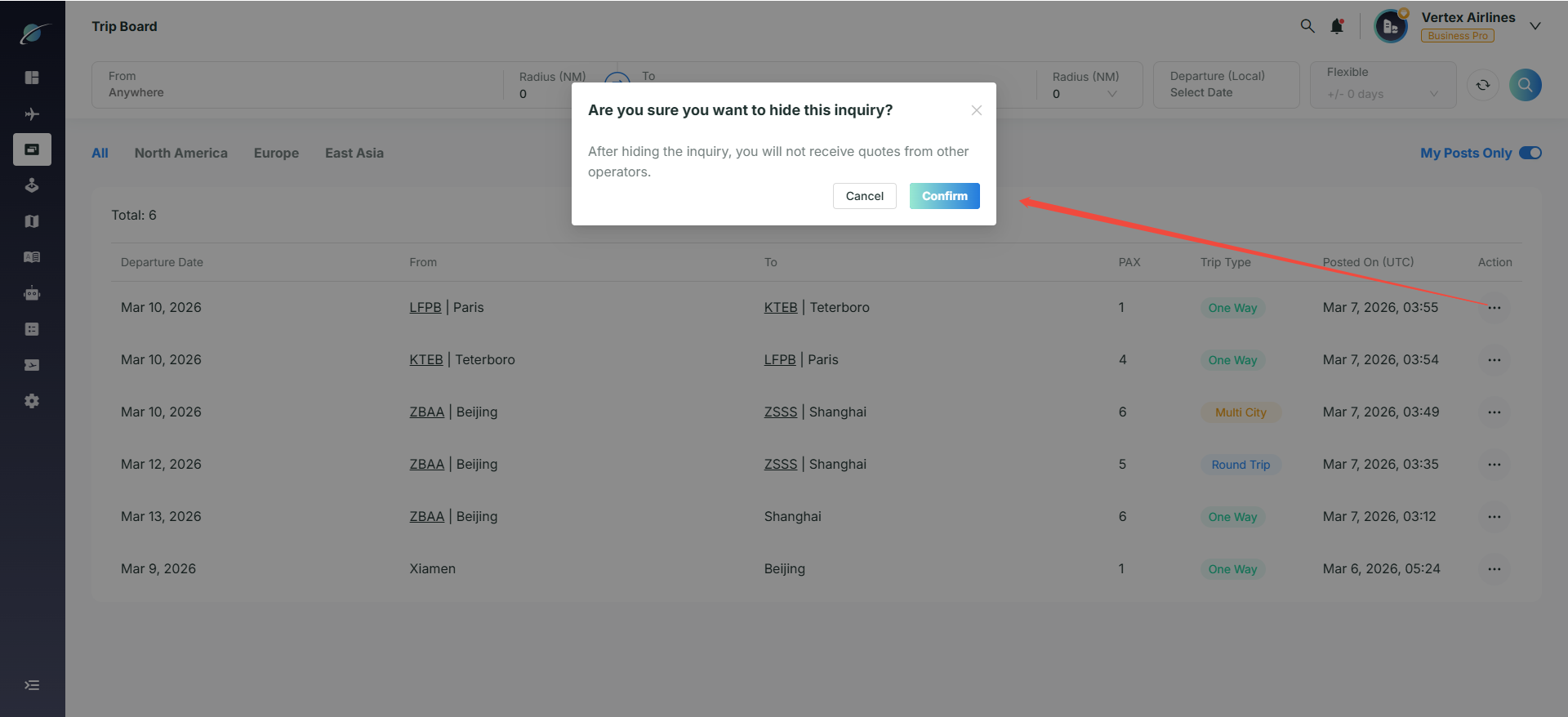
Turn on the “My Posts Only” switch to quickly locate and manage trip requests posted by this account. Click the “...” icon in the action bar and select “Hide” to temporarily hide a quote request. Click “Show” to make it visible again. Click “Delete” and confirm to remove the request from the Trip Board permanently. Once deleted, it cannot be restored.
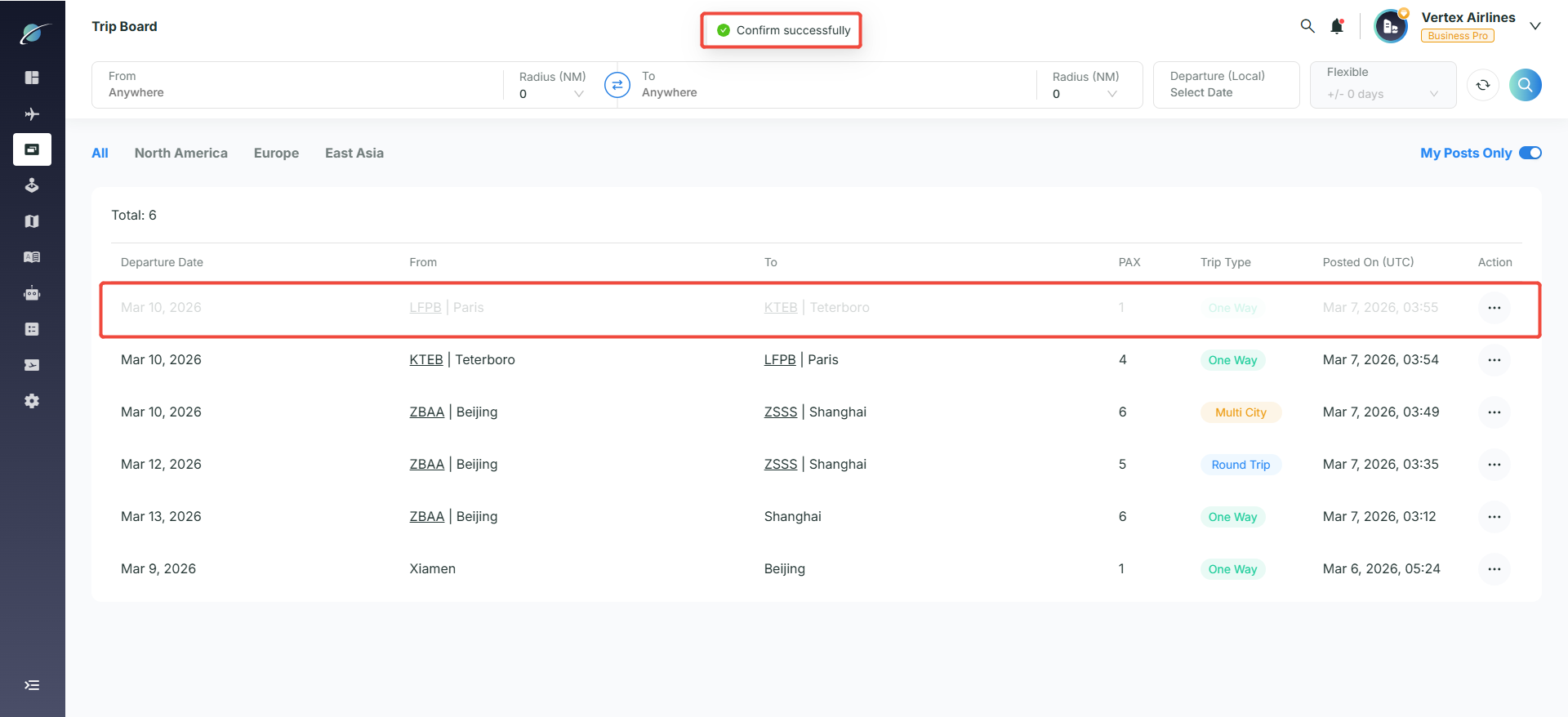
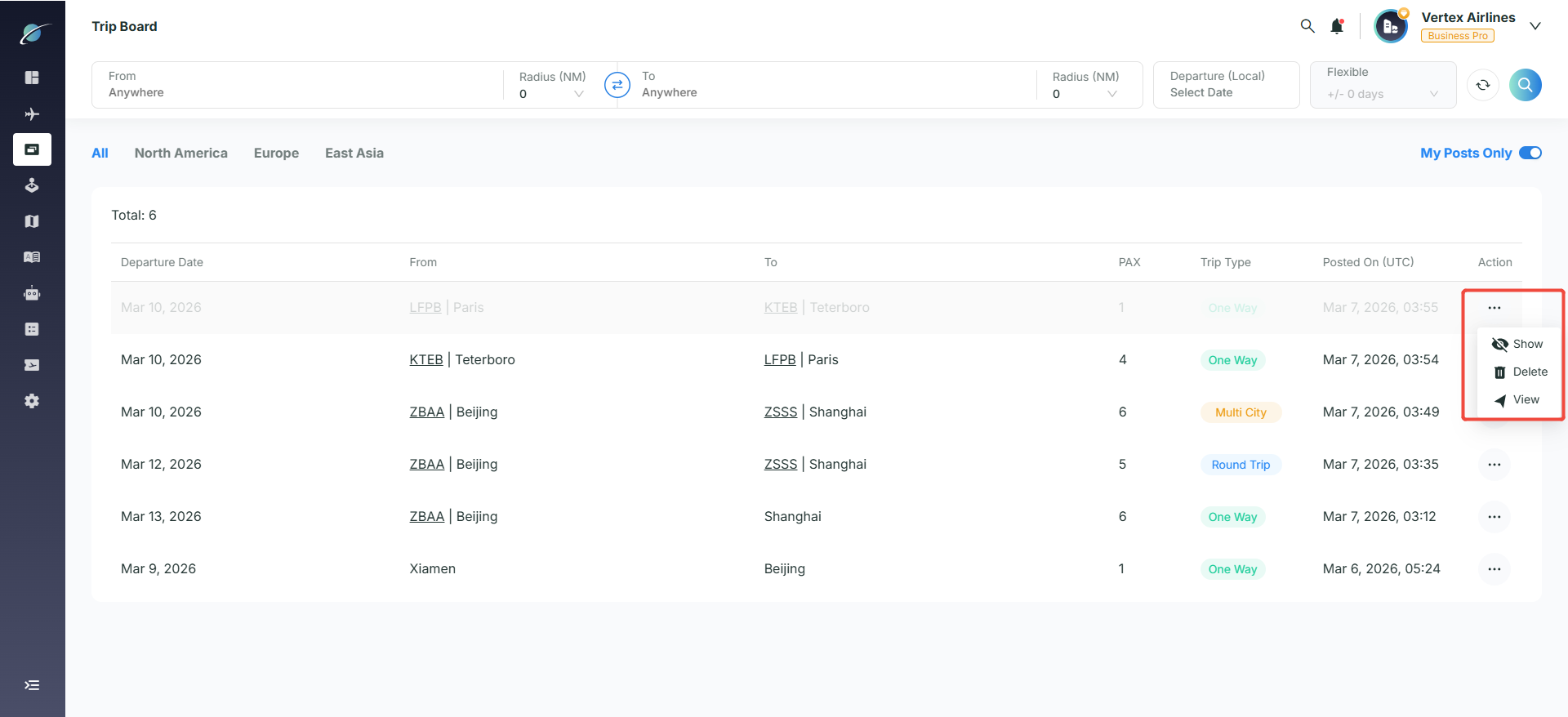
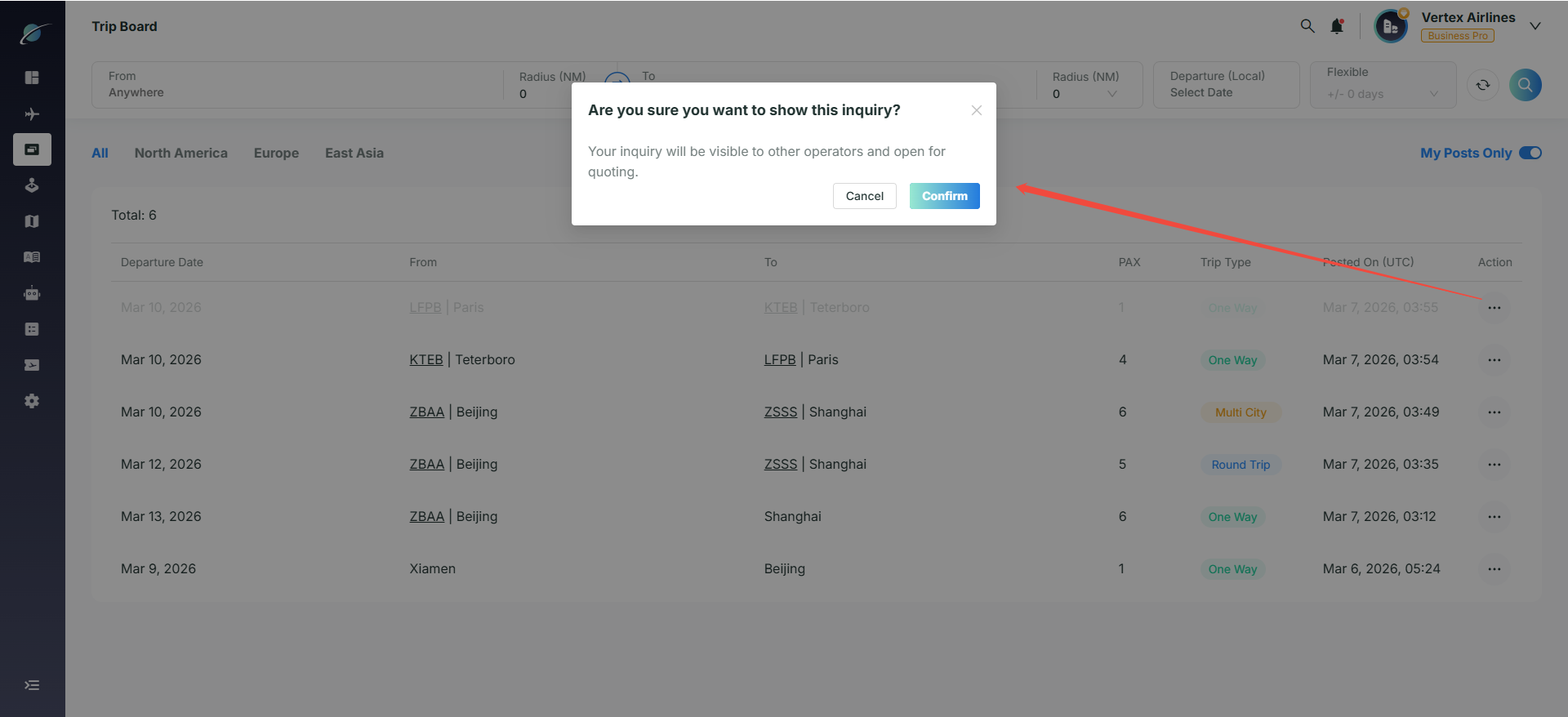
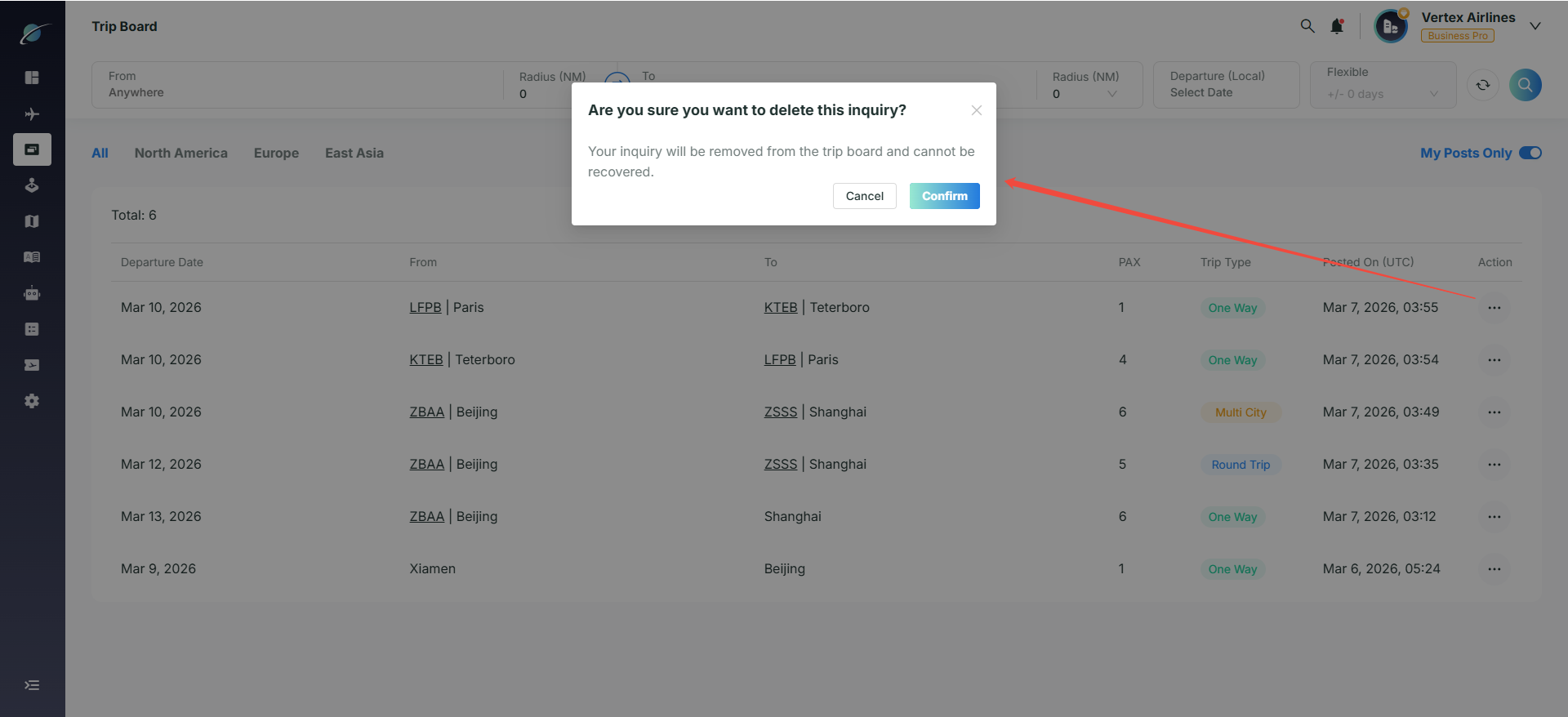
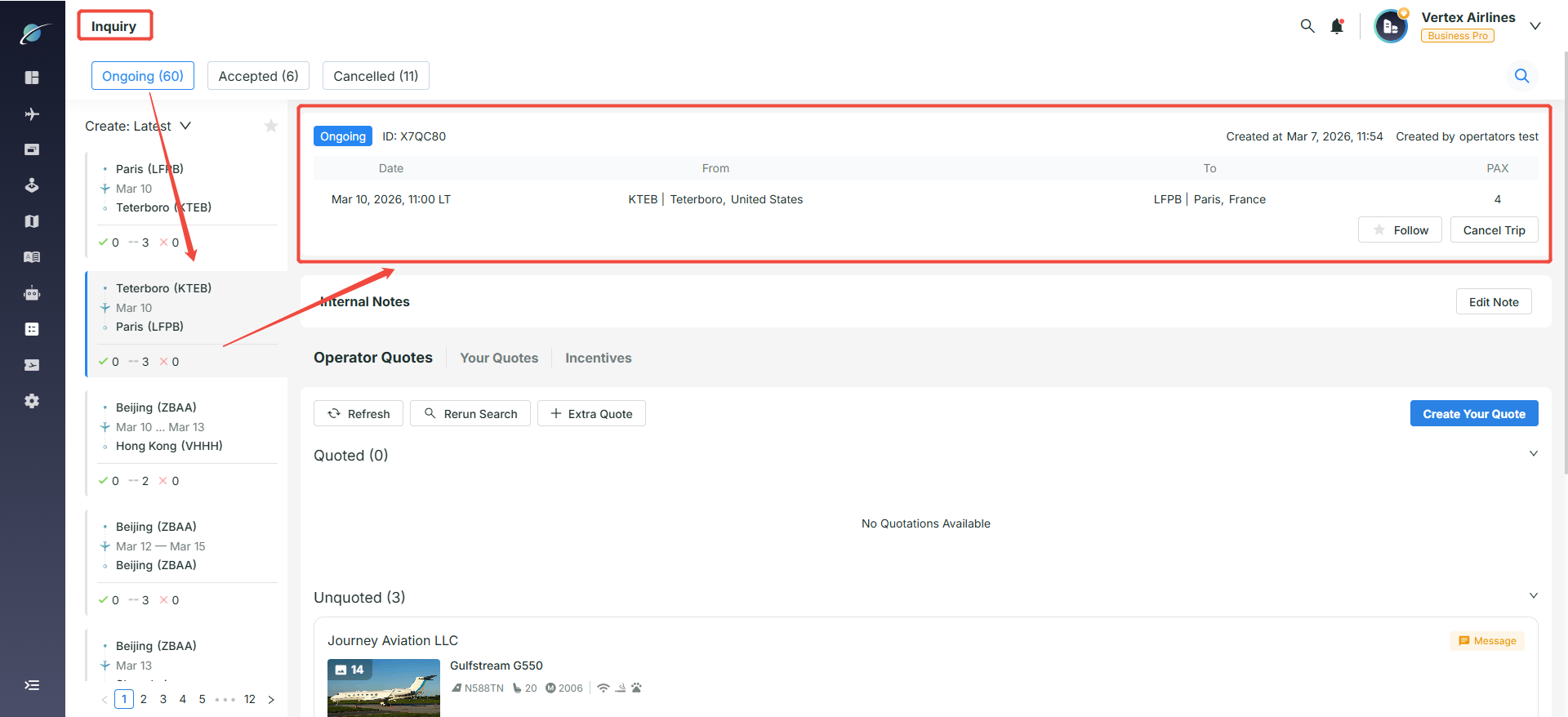
Click “View” to be automatically redirected to the “Inquiry” page, where you can view the detailed information of the quote request.
Subscribe to the Avi-Go Newsletter
Business aviation data, insights, and trends — trusted by 10,000+ professionals worldwide.