
Route Analysis and Inquiry Submission
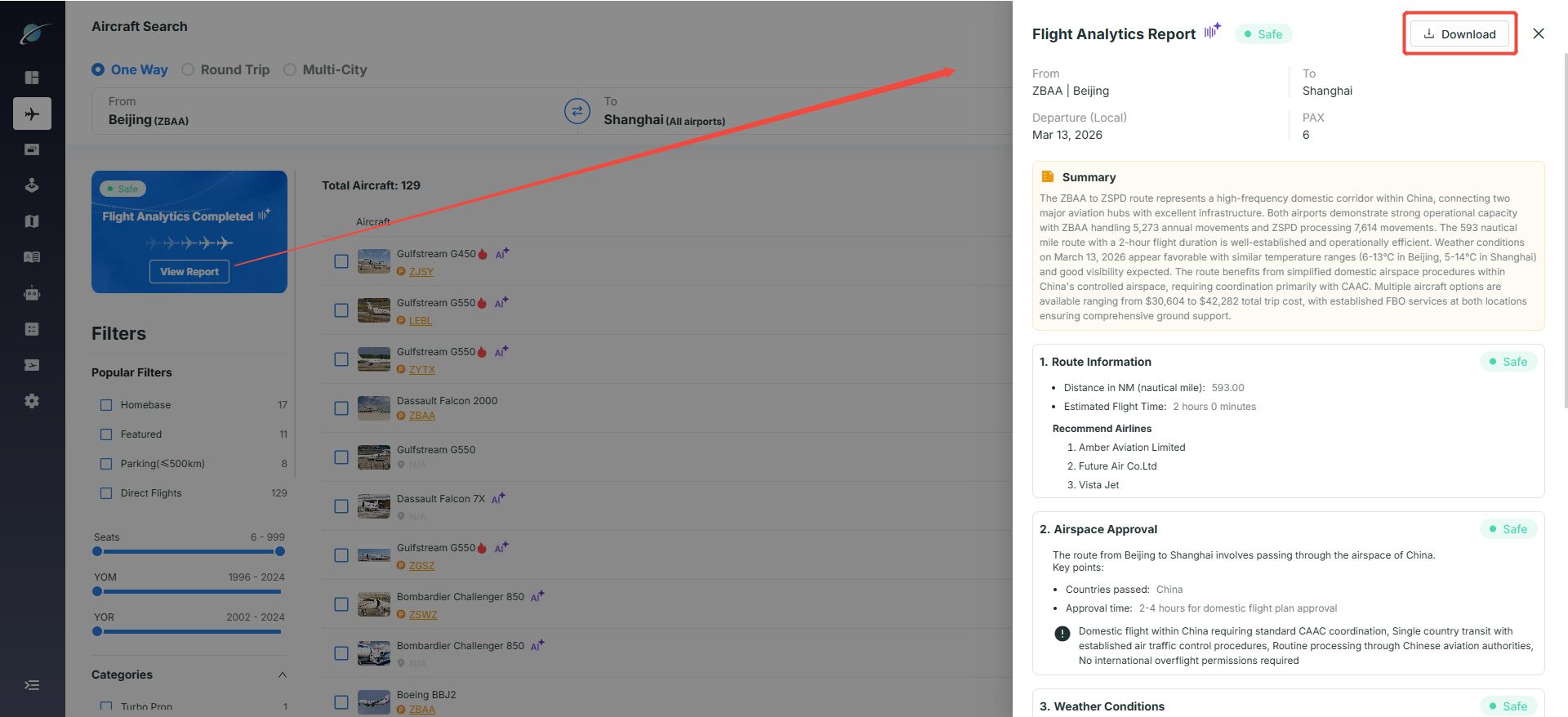
View route report:
Click "View Report" on the left side of the search results page to open a sidebar with route distance, estimated flight time, weather, and recommended operators. Click "Download" to save the report.
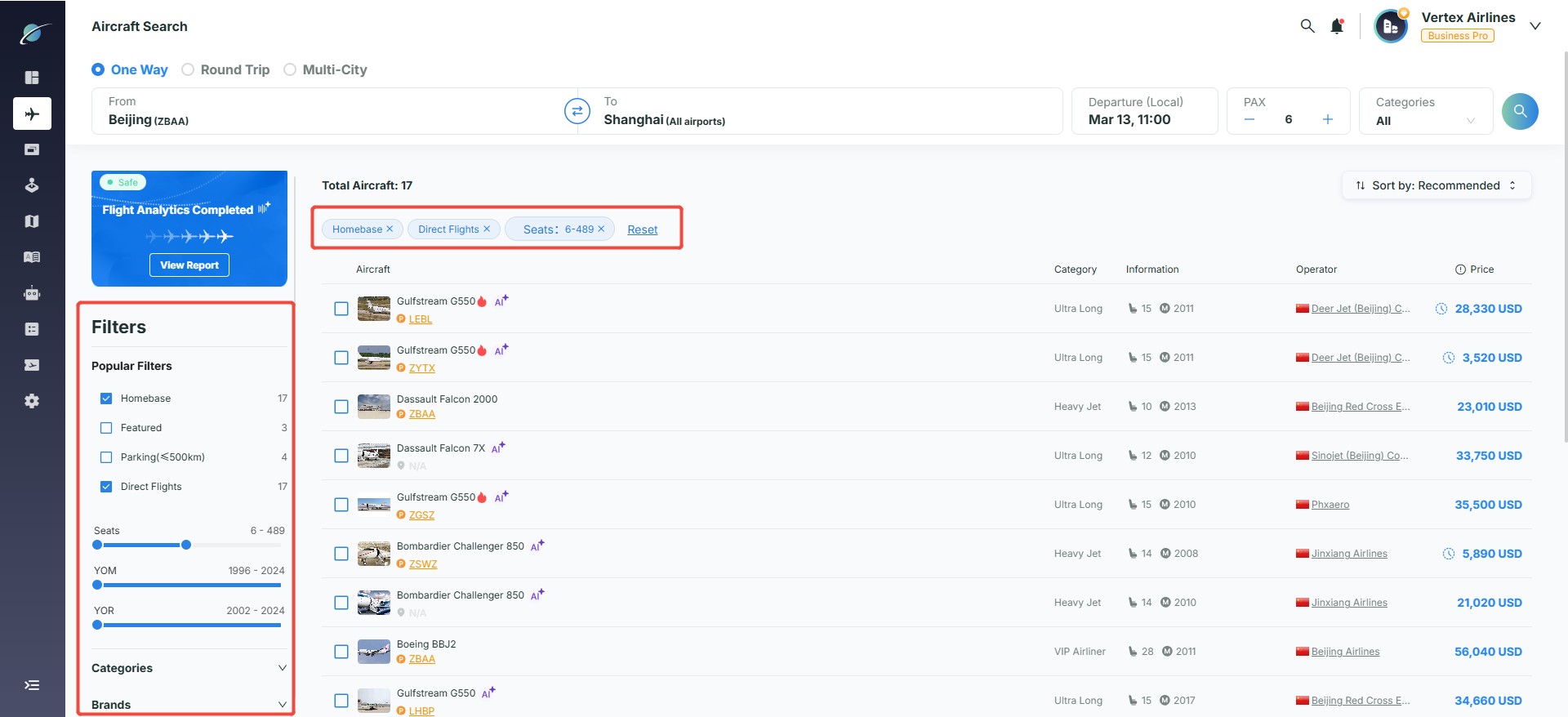
Refine aircraft filtering:
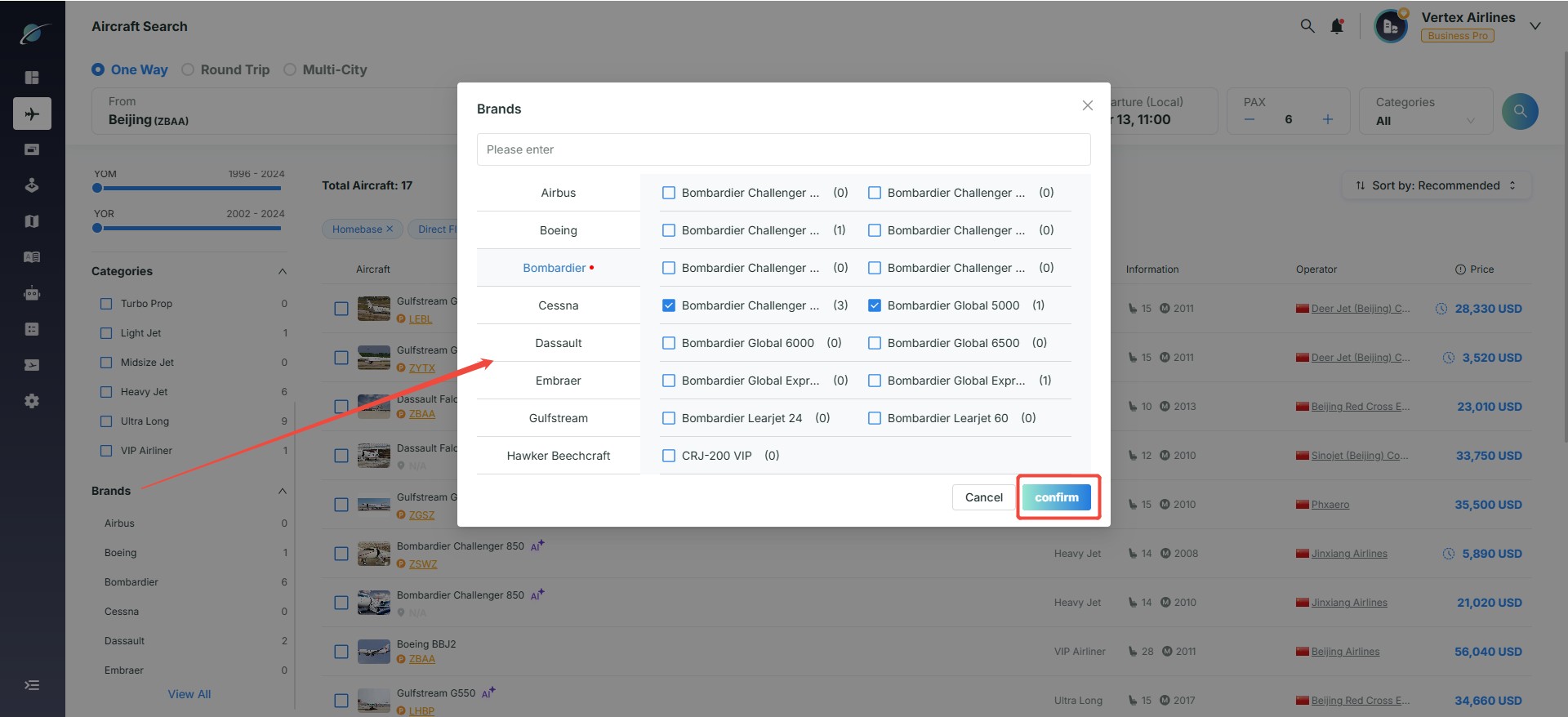
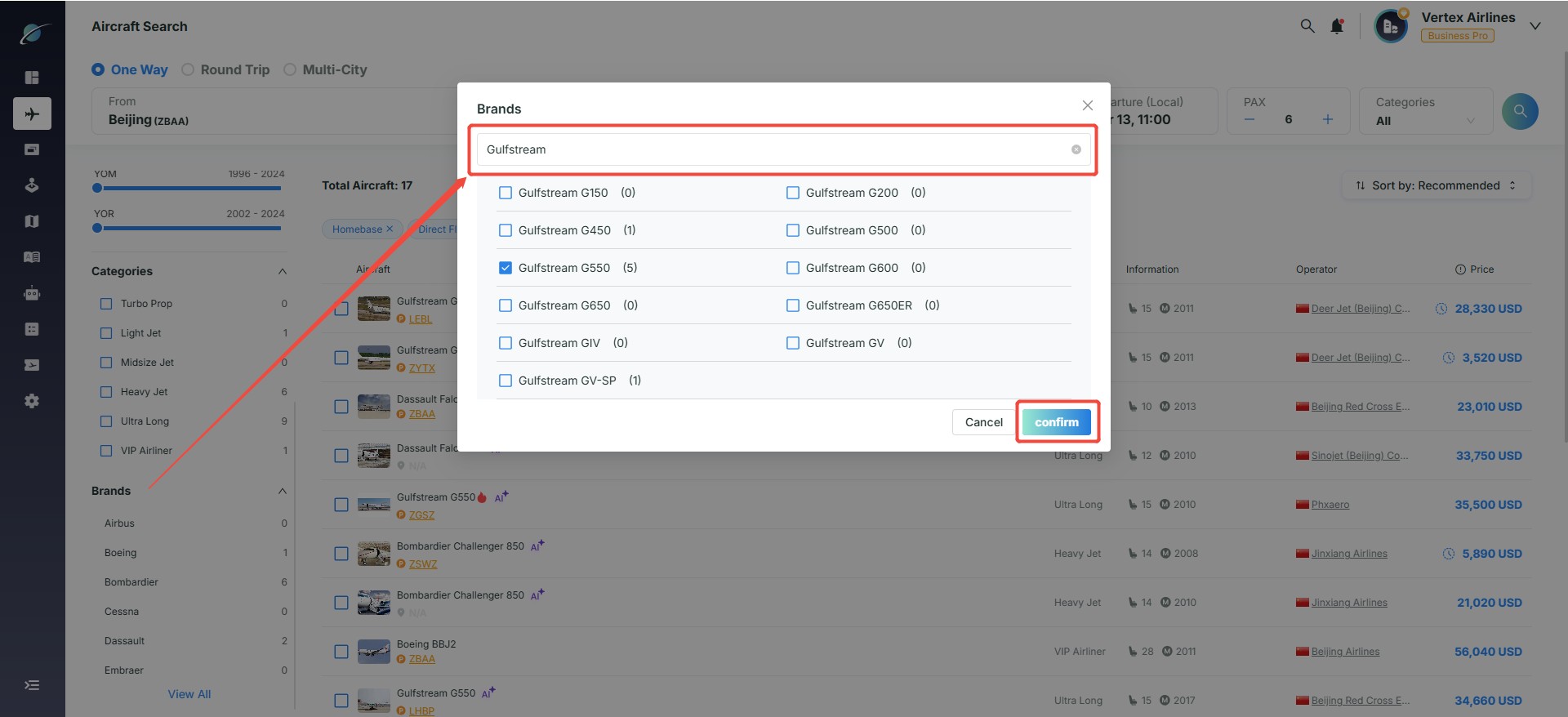
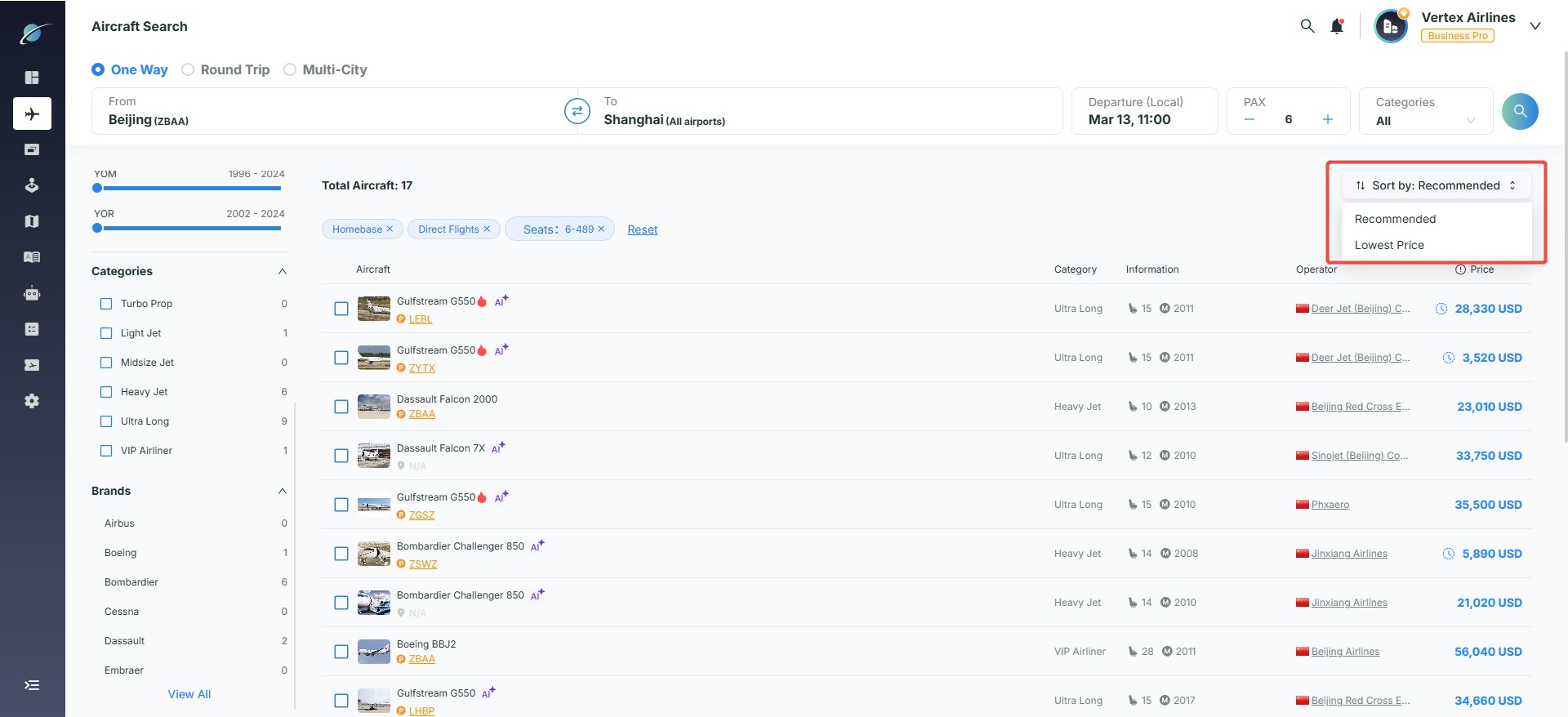
Use filters on the left to narrow aircraft categories. The "Brands" section filters by aircraft brand, and results can be sorted by recommendation level or lowest price.
Selection and inquiry submission:
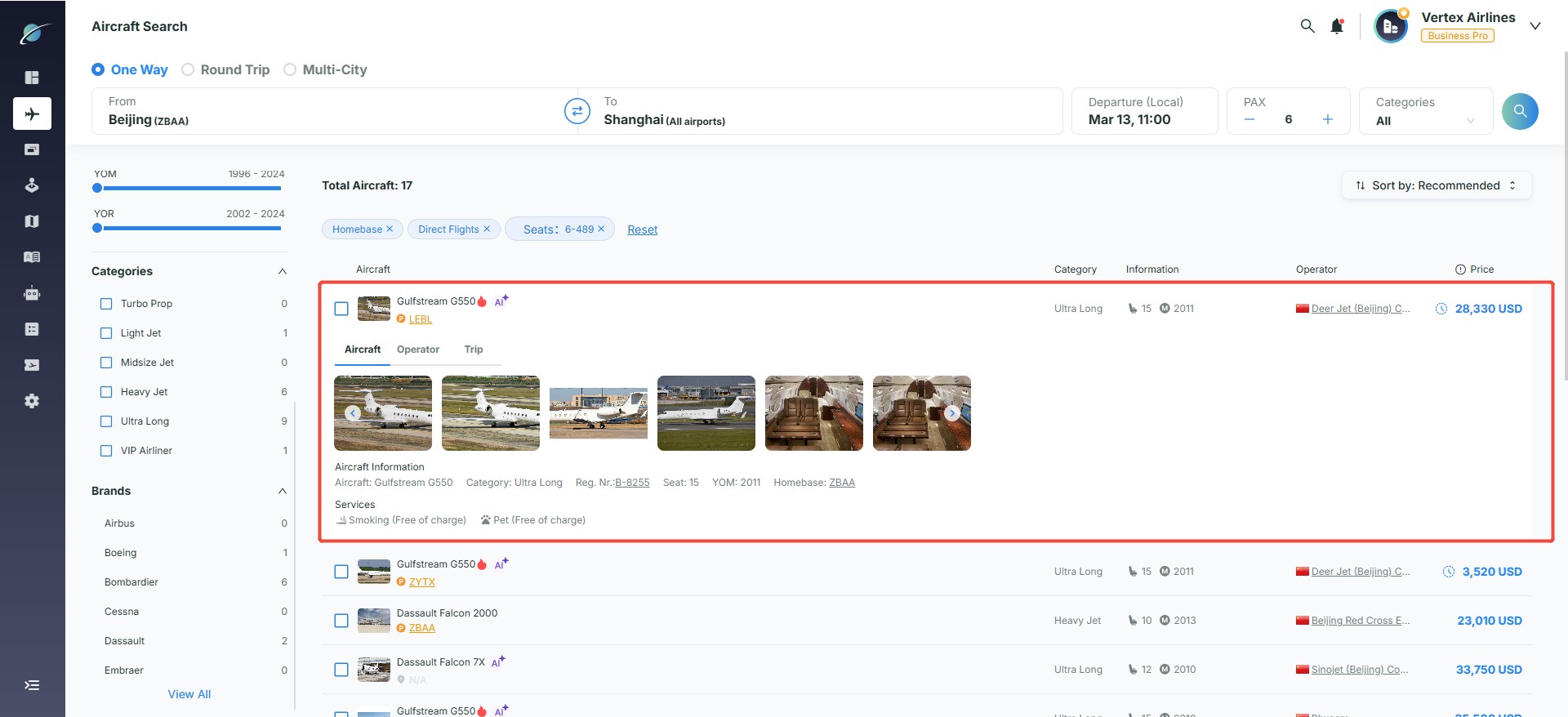
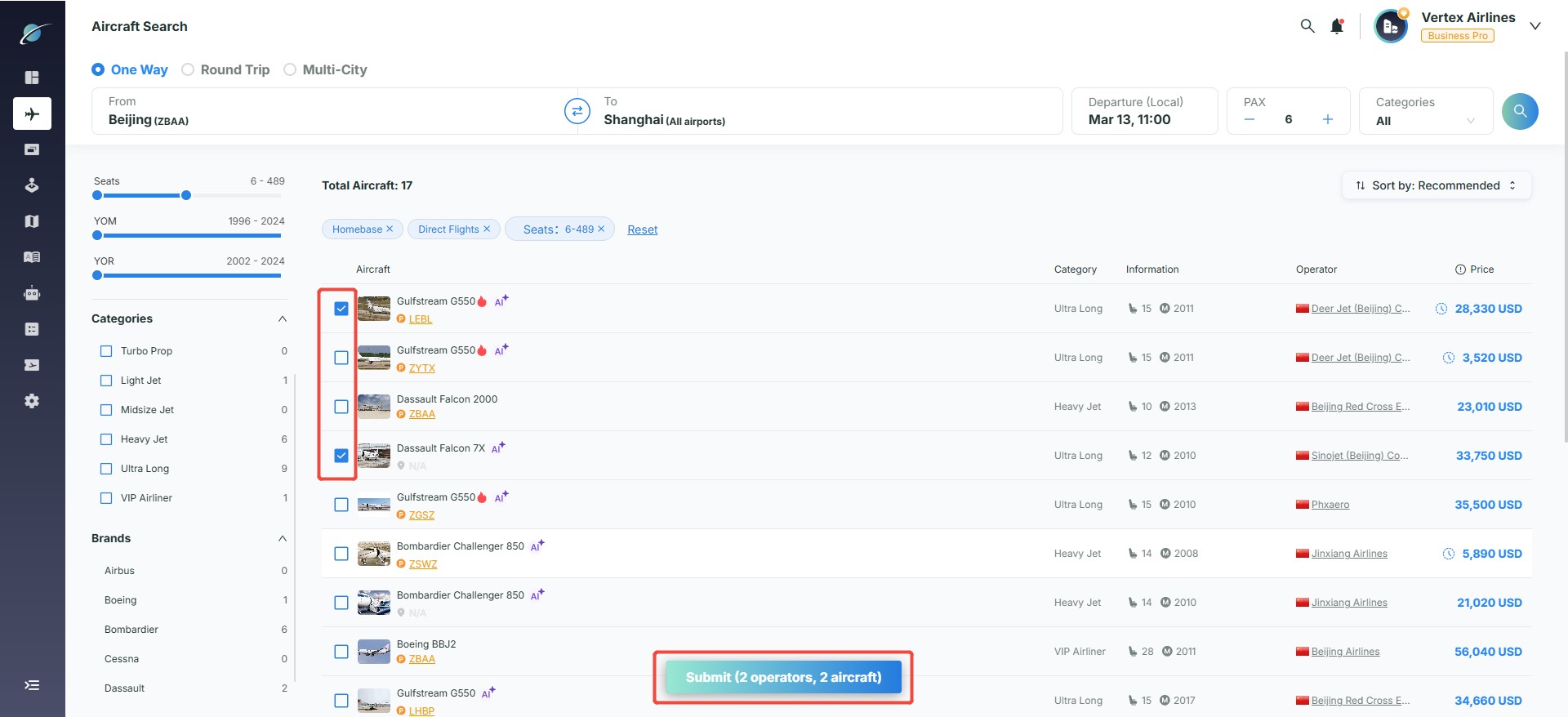
- Click an aircraft card to expand cabin photos, registration number, and onboard amenities. Select target aircraft from the list and click "Submit" at the bottom to open the request summary page.
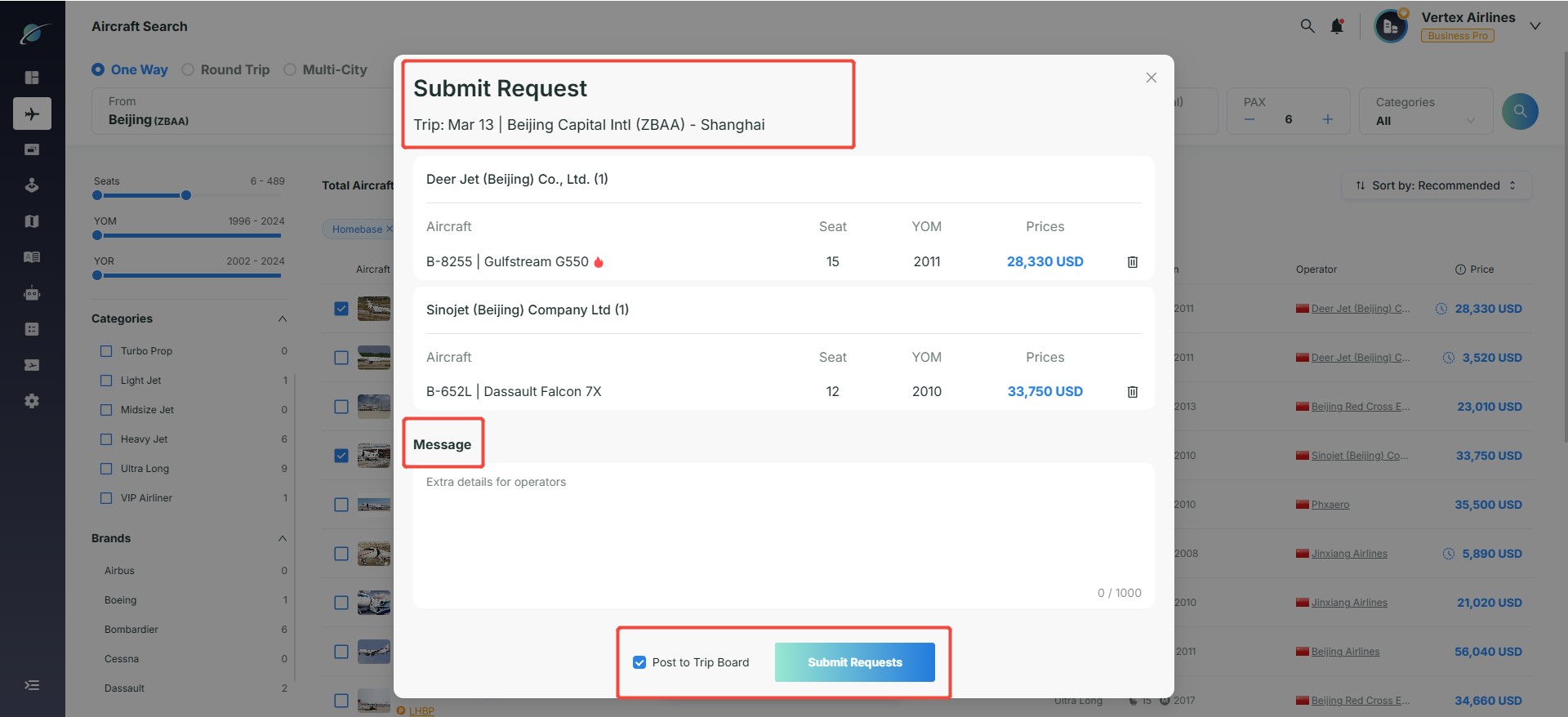
- Before submission, users can review itinerary details, add remarks, and choose whether to post the request to Trip Board.
- If Trip Board is selected, the platform automatically emails qualified operators who have not yet received the inquiry, helping brokers obtain more quotations. If a broker does not want quotations from operators they did not personally choose, they can uncheck Trip Board.
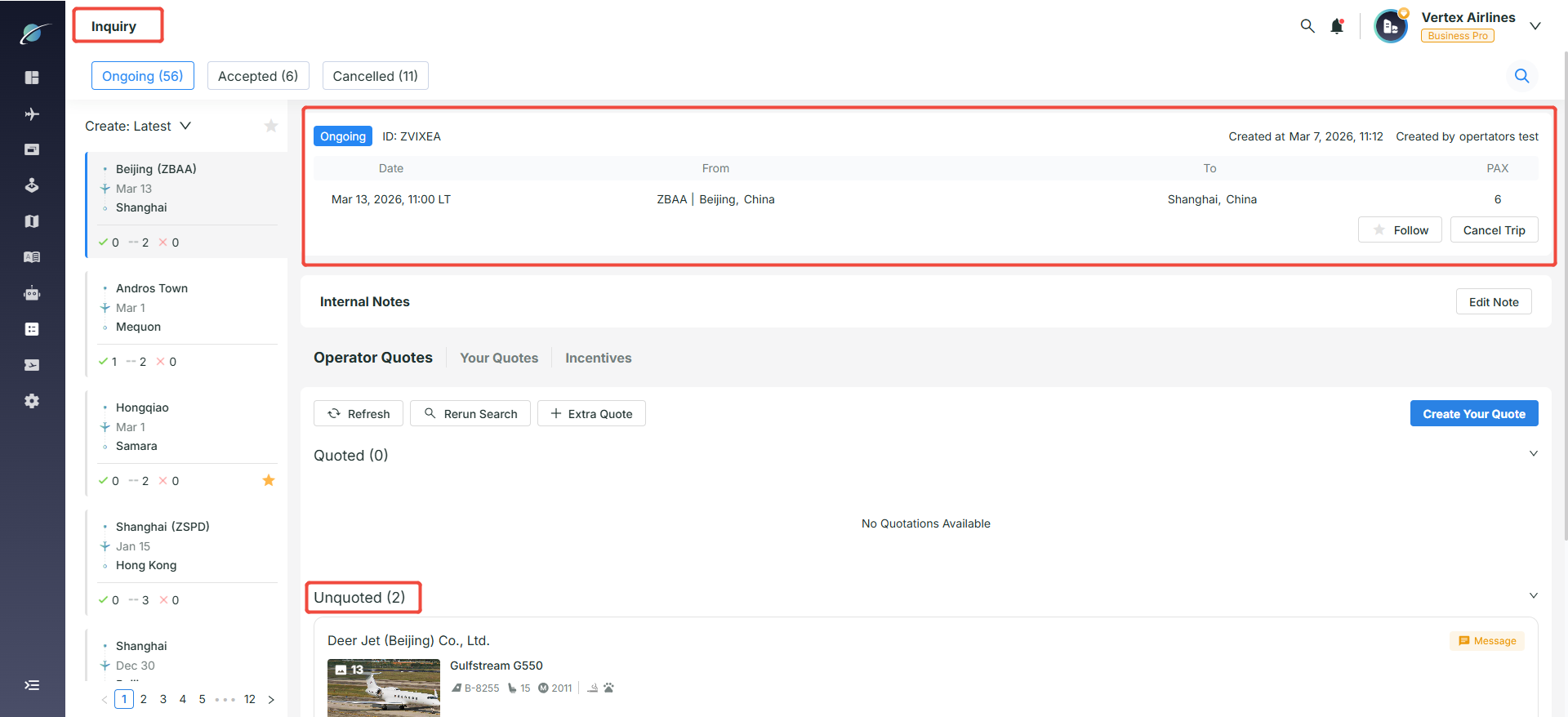
- After clicking "Submit Requests", the system automatically redirects to the "Inquiry" page to track progress.
Subscribe to the Avi-Go Newsletter
Business aviation data, insights, and trends — trusted by 10,000+ professionals worldwide.
I agree withTerms & Conditions and Privacy Policy

Empowering Your Aviation with Data & AI








Get the latest updates and most exciting news.
Follow Updates