
Manage Your Billing
Switch Space
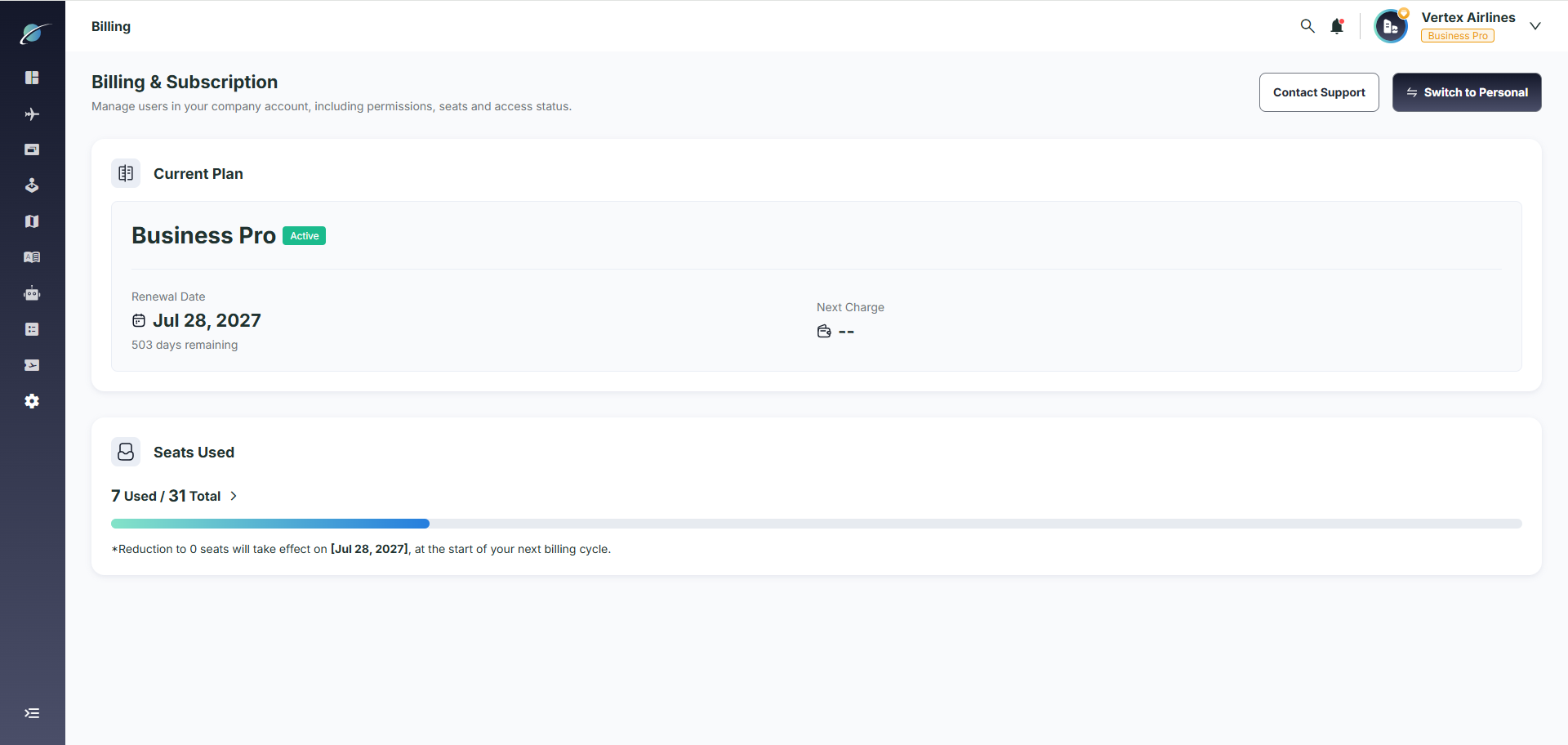
Click “Switch to Personal” in the upper-right corner to quickly switch between your business space and personal space.
Subscription Process
You can subscribe in either your business space or personal space.
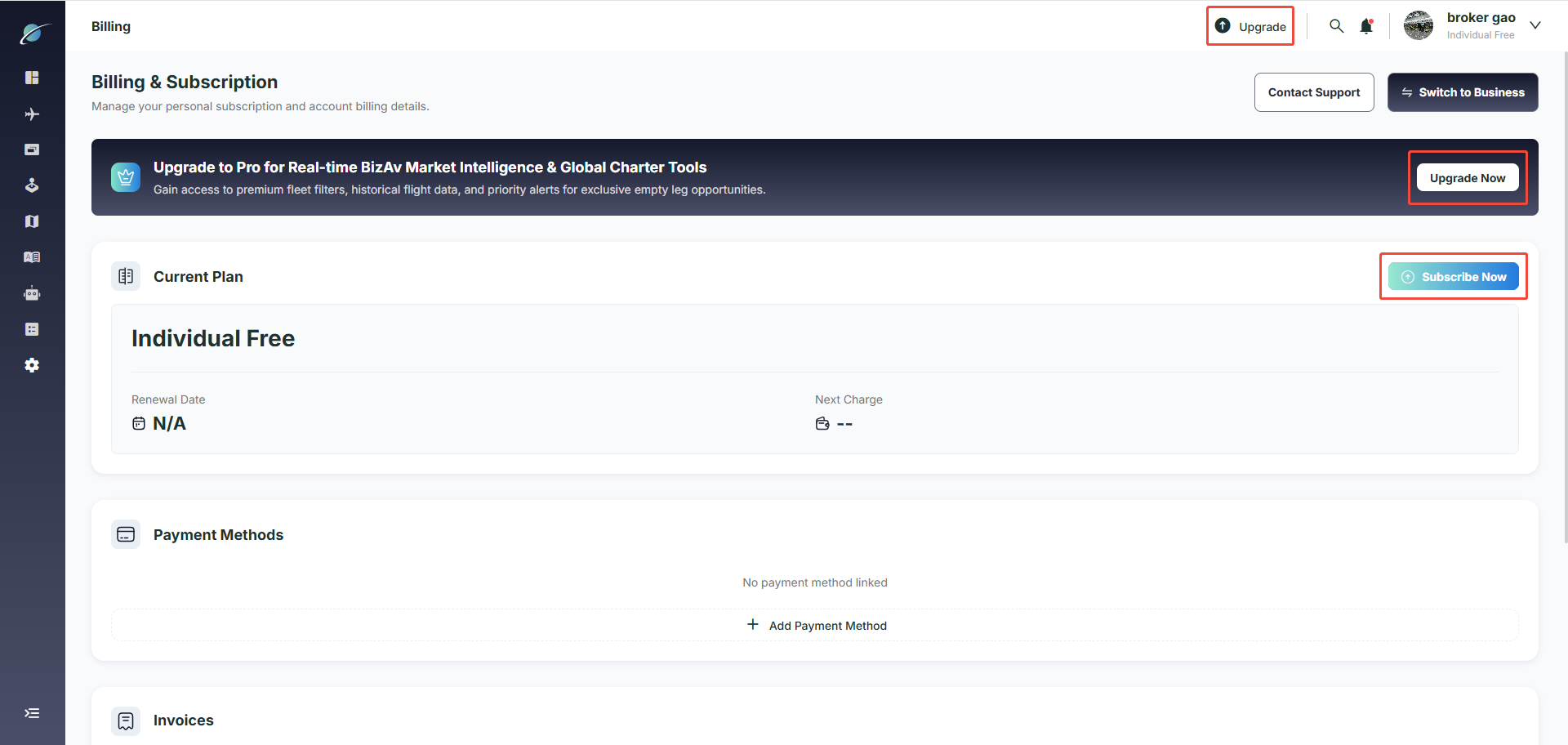
Step 1: Start the subscription
Click any of these options:
- “Upgrade” in the top navigation bar
- “Upgrade Now” on the promotional banner
- “Current Plan” card
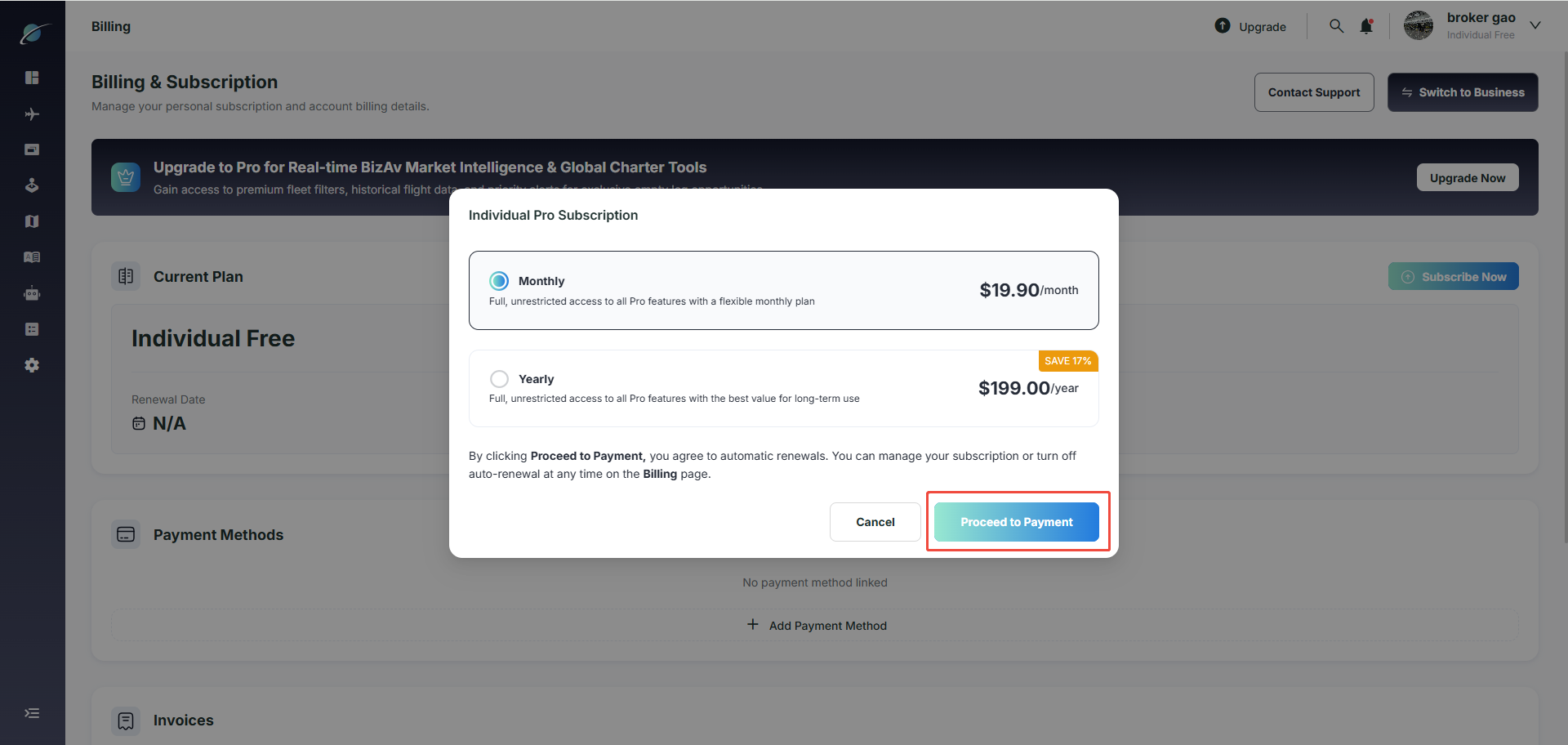
Step 2: Choose a plan
A plan selection window will appear. Choose either:
- Monthly payment
- Yearly payment
Step 3: Continue to payment
After selecting your plan, click “Proceed to Payment.”
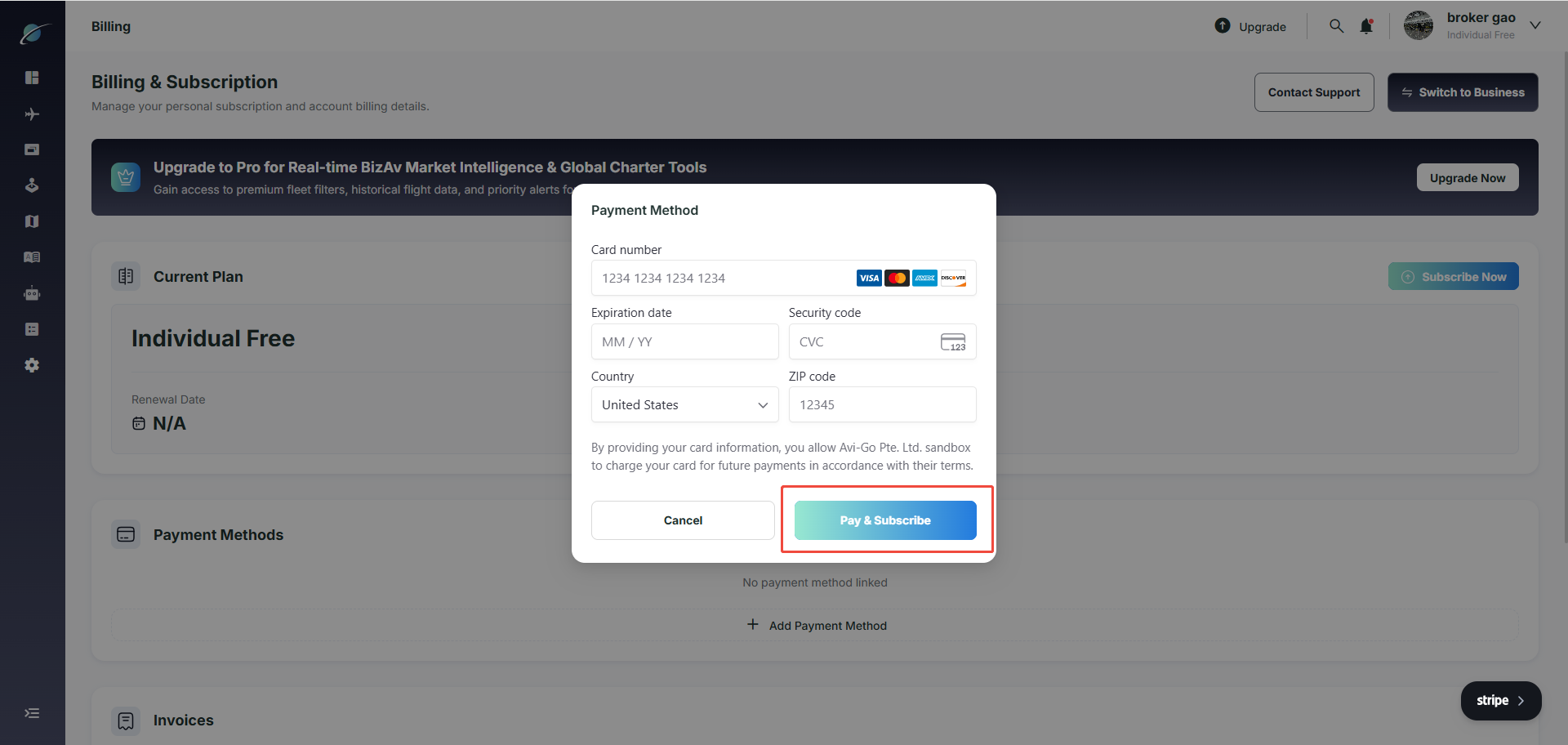
Step 4: Enter payment details
In the “Payment Method” window, enter your payment information.
Step 5: Complete the subscription
Click “Pay & Subscribe” to finish.
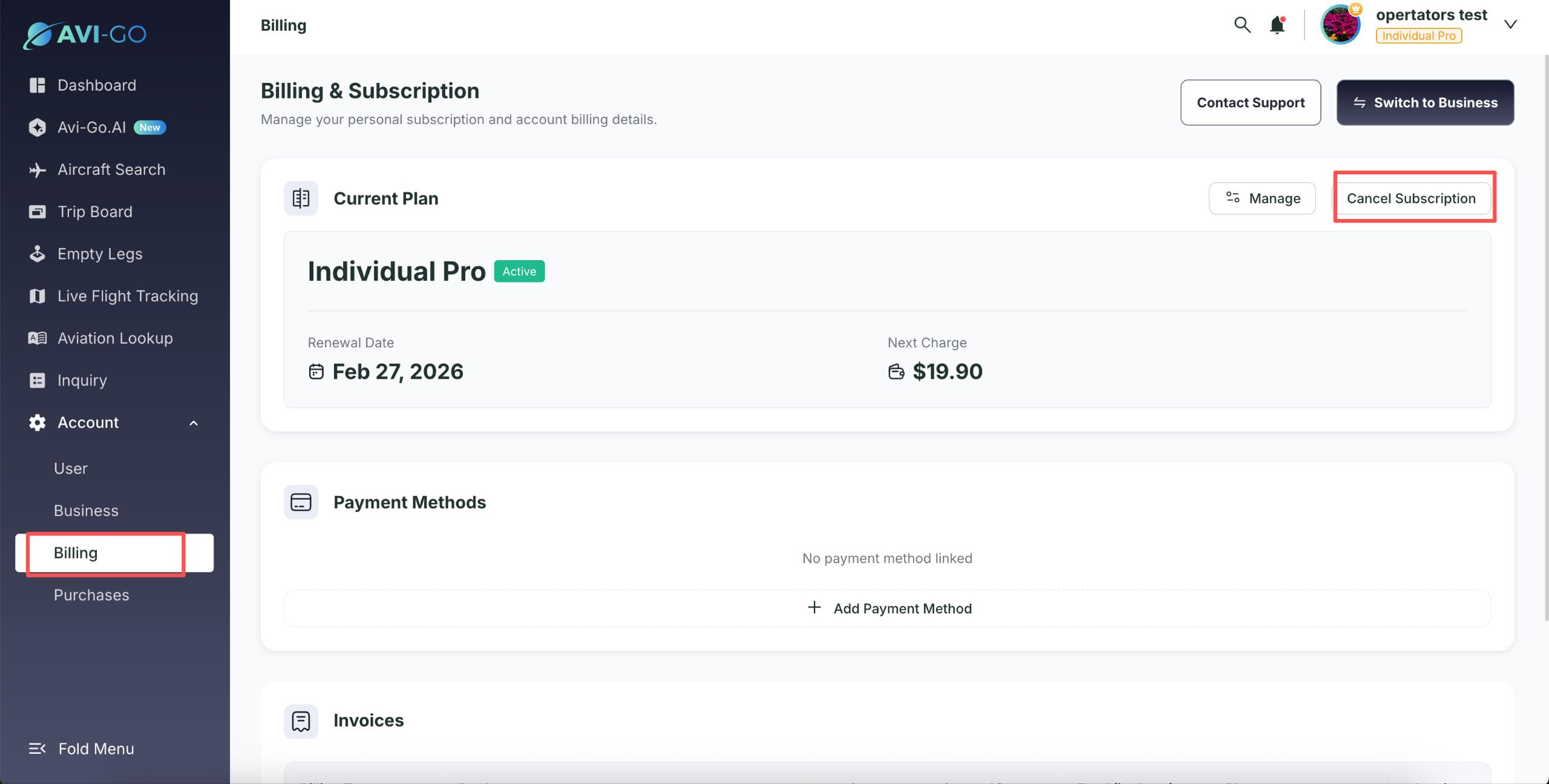
Cancel Automatic Payment
If you cancel automatic payment, you will not be charged in the next billing cycle. However, refunds are not available for billing cycles that have already been paid.
Business Space Seats
Seats can be added or reduced. Added seats are paid for immediately and take effect immediately, while reduced seats take effect in the next weekly cycle. Refunds are not supported for the current cycle that has already taken effect. If a business wants to purchase seats, the subscription and seats must be purchased together. It is not supported for a business to purchase seats after the business subscription has expired.
Support Services
If you encounter any issues with your subscription, you can click the “Contact Support” button in the upper-right corner to contact platform support for assistance.
Subscribe to the Avi-Go Newsletter
Business aviation data, insights, and trends — trusted by 10,000+ professionals worldwide.